gridline Download

gridline, the free, open source music workstation

The free, open source music workstation, built around the grid.

Patterns Piano roll Playlist Mixer

Windows, macOS, Linux, FreeBSD, OpenBSD and NetBSD, on x86 and ARM. Written from scratch in C++17, licensed GPL-3.0.

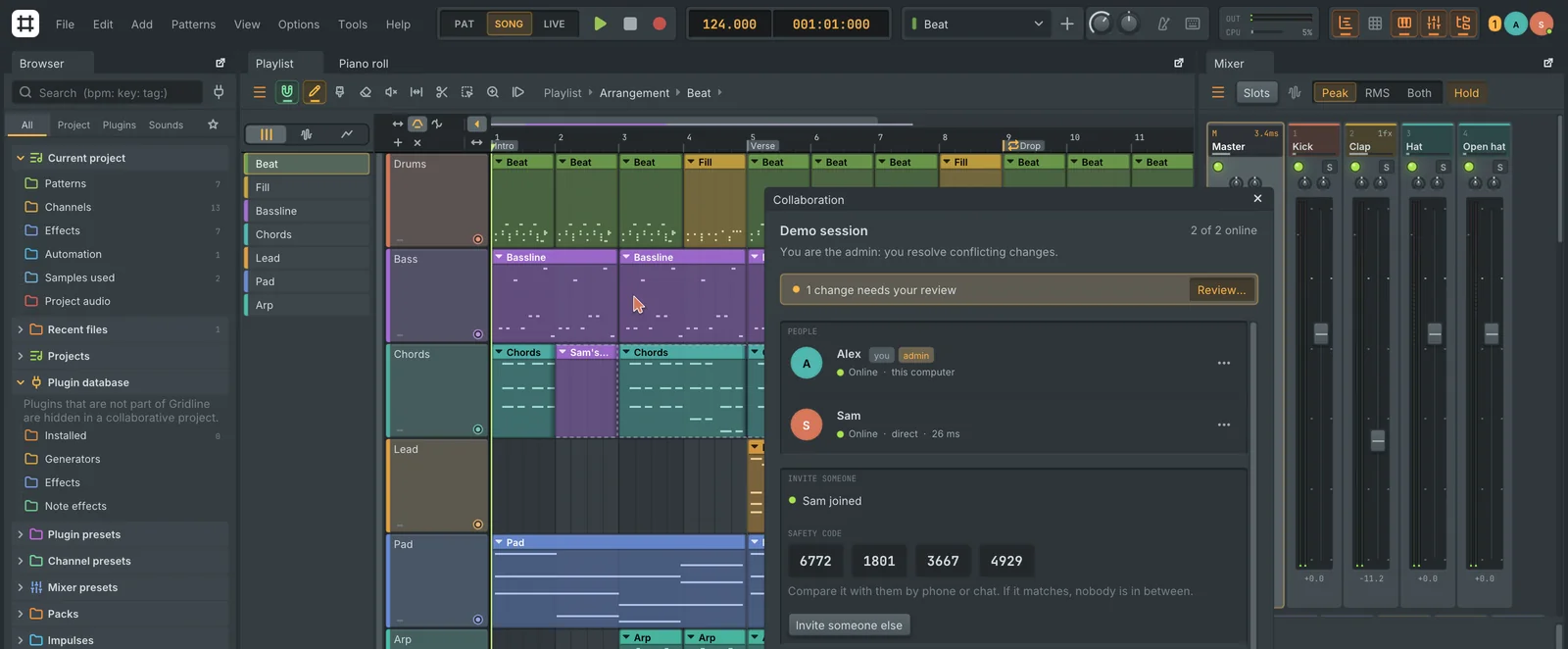
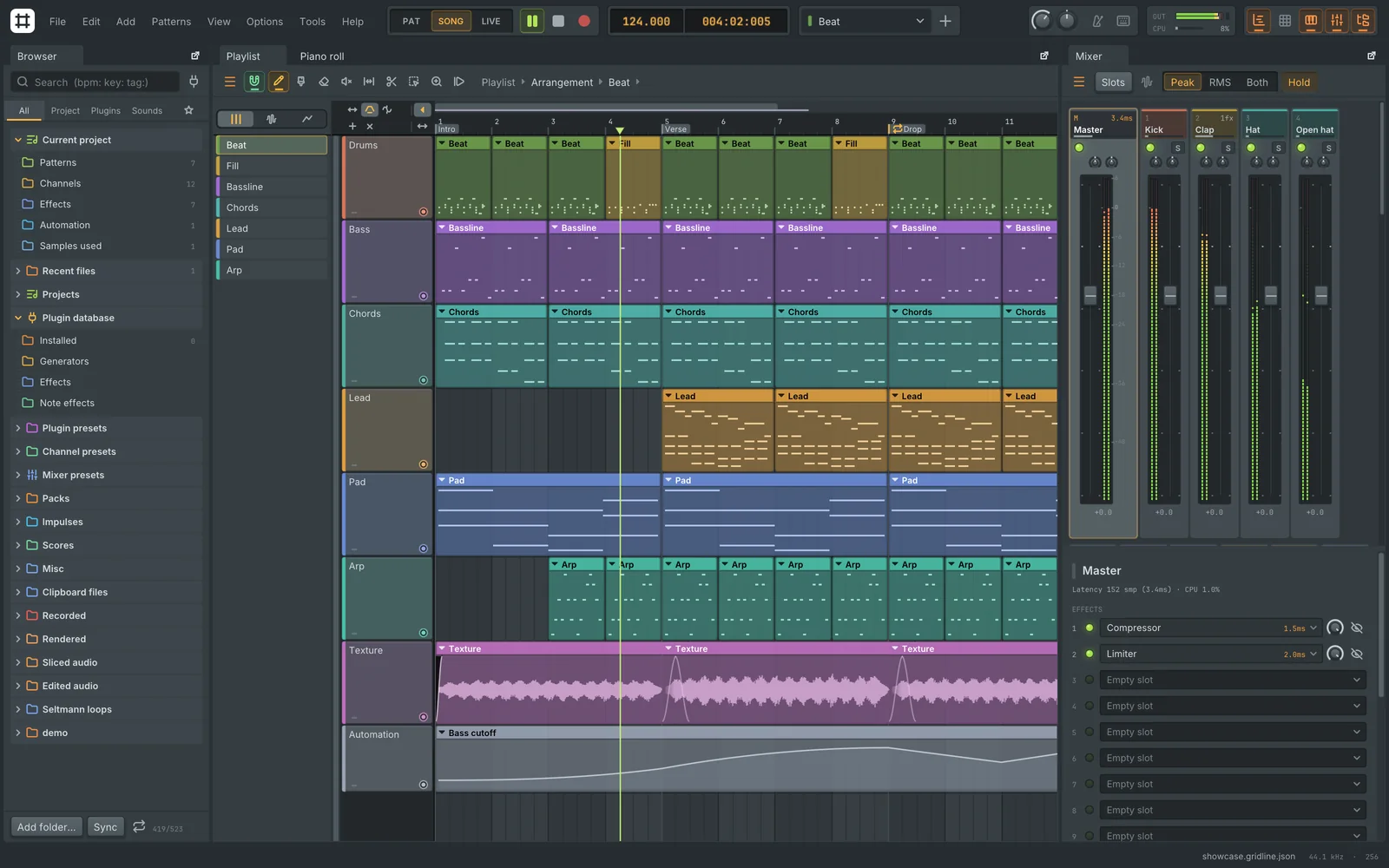
The Gridline workspace: the browser on the left, a coloured playlist arrangement in the middle and the mixer with its insert slots on the right

Download

Free, with no account. Your system is listed first, and every file comes straight from the latest release on GitHub.

Gridline 0.7.2Released 3 November 2026All releases

Windows

10 and 11, x64 and ARM64

macOS

11 or later, Apple Silicon and Intel

BSD

FreeBSD, OpenBSD and NetBSD

First launch. Builds are not signed by Apple or Microsoft. On macOS, right-click the app and choose Open. On Windows, choose More info, then Run anyway. Every release lists SHA-256 checksums.

Every download includes the Gridline Suite, 120 of Gridline's instruments and effects as plugins for other DAWs. Beta versions are on the releases page as pre-releases.

What's in the box

Build loops in the channel rack, arrange them as clips in the playlist and mix them on inserts. Patterns, audio and automation all live on the same tracks.

Channel rack
  • Pattern workflow

    Step sequencer, piano roll, playlist and mixer, with 139 searchable icons for tracks and channels.

  • Make music together

    Work on one project live with other people, peer to peer and end-to-end encrypted. No server, no account.

  • 177 instruments and effects

    Flagships like Plasma, Lattice, Isoline, Kerf and Cloister, plus EQs, dynamics and physical models. Every knob gesture is one undo step.

  • The Gridline Suite

    120 of Gridline's instruments and effects as VST3, CLAP and Audio Unit plugins for any other DAW, plus 35 compact effects in Suite Mini.

  • Real plugins, real interfaces

    VST3, CLAP, VST2, AU and LV2 open with their own interface, can run sandboxed in their own process, and get a built-in compatibility sweep.

  • A mixer that keeps time

    Smooth swing, plugin delay compensation, multicore processing, sends, sidechains and stems. Renders are bit-identical at any buffer size.

  • Recording and editing

    Latency-compensated audio input, takes drawn live as they record, comping, and automation clips with curves and an LFO tool.

  • Split stems, import from URL

    Separate any clip into vocals, drums, bass and other on your own computer, or bring a web page's audio in as a lossless WAV.

  • Junction

    Wire instruments, effects and note processors on a map of modules and cables: parallel paths, sidechains, feedback and eight macros.

  • Track Receipt

    Measures which parts of which original recordings a project plays, then writes a spreadsheet and PDF to help with sample licensing.

  • FL Studio projects

    Opens .flp files, zipped loop packages and .fst presets, and saves back to .flp without overwriting the original.

  • Your look, your sounds

    Five control styles, light and dark themes with your own accent and role colours, and sound themes for the interface.

  • Windows on every monitor

    Pop the mixer, piano roll, browser or any plugin editor out into its own window and put it on another screen.

  • Scripting and AI assistants

    Sandboxed Lua scripts, project templates, and an optional, off-by-default MCP server so AI assistants can read and edit a project.

Highlights

Four parts of Gridline you won't find in the usual pattern-based DAW.

A collaborative session: the Collaboration panel, a collaborator's cursor and their edits in the playlist

Make music together

Two or more people on one project at the same time, on the same network or across the internet.

  • No server, no account. Computers connect peer to peer, with hole punching and automatic port opening.
  • One-time invite codes that expire, and a safety code both sides compare.
  • Live presence. Each collaborator gets a colour, a cursor and a picture; their edits flash in their colour.
  • Safe. End-to-end encrypted, every change signed, and undo only takes back your own changes.
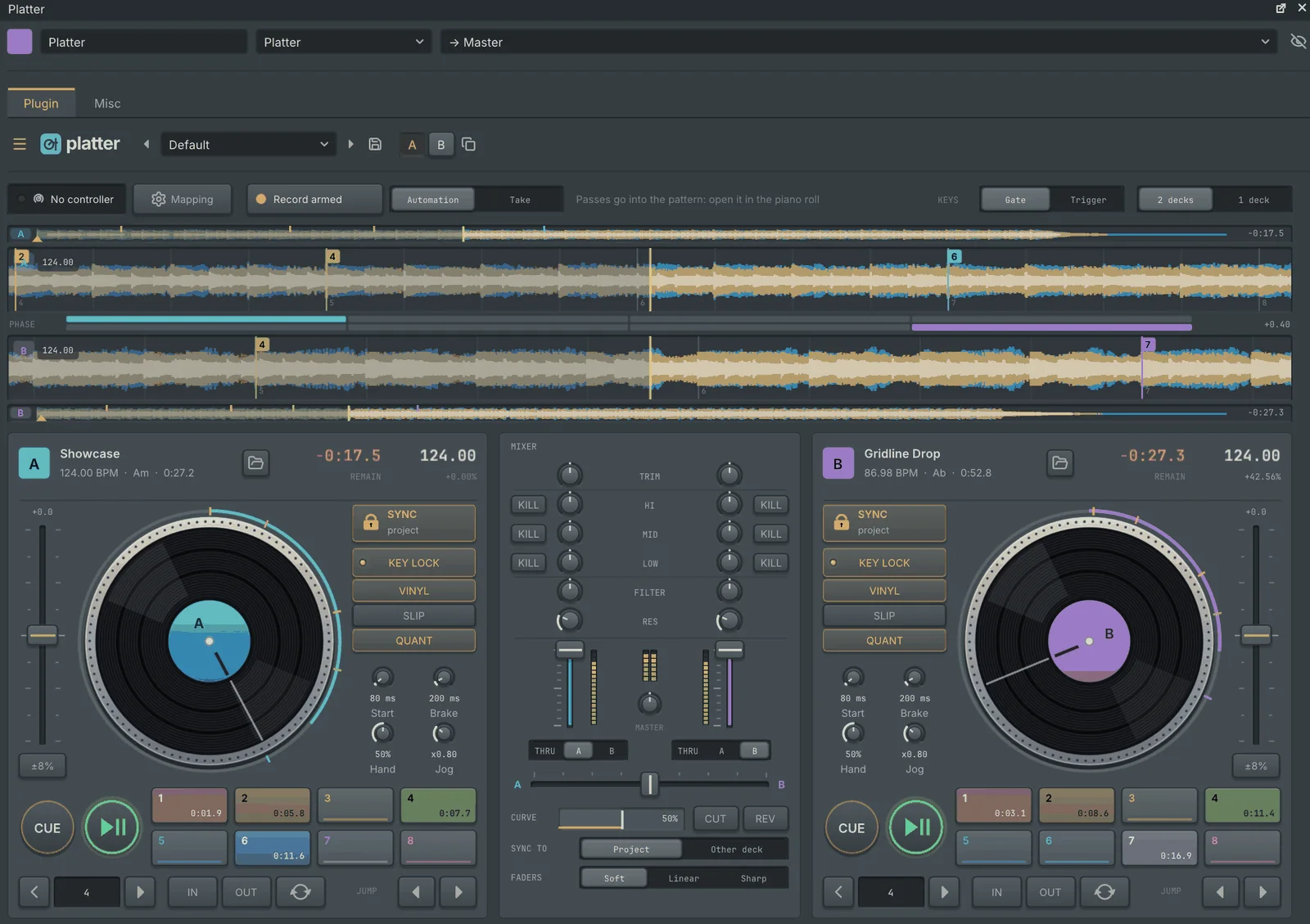
Platter with a track on each deck and the mixer between them

Two DJ decks on a channel

Drop a track on a deck and Platter finds its tempo and beat grid, then plays it in time with the project or the other deck.

  • Scratching that feels like a record, following the scratch mechanics of Mixxx.
  • Key lock, hot cues, loops and beat jumps, with stacked three-band waveforms.
  • DJ controllers like the DDJ-200 and Inpulse 200 work out of the box.
  • Performances record as plain, editable automation clips.
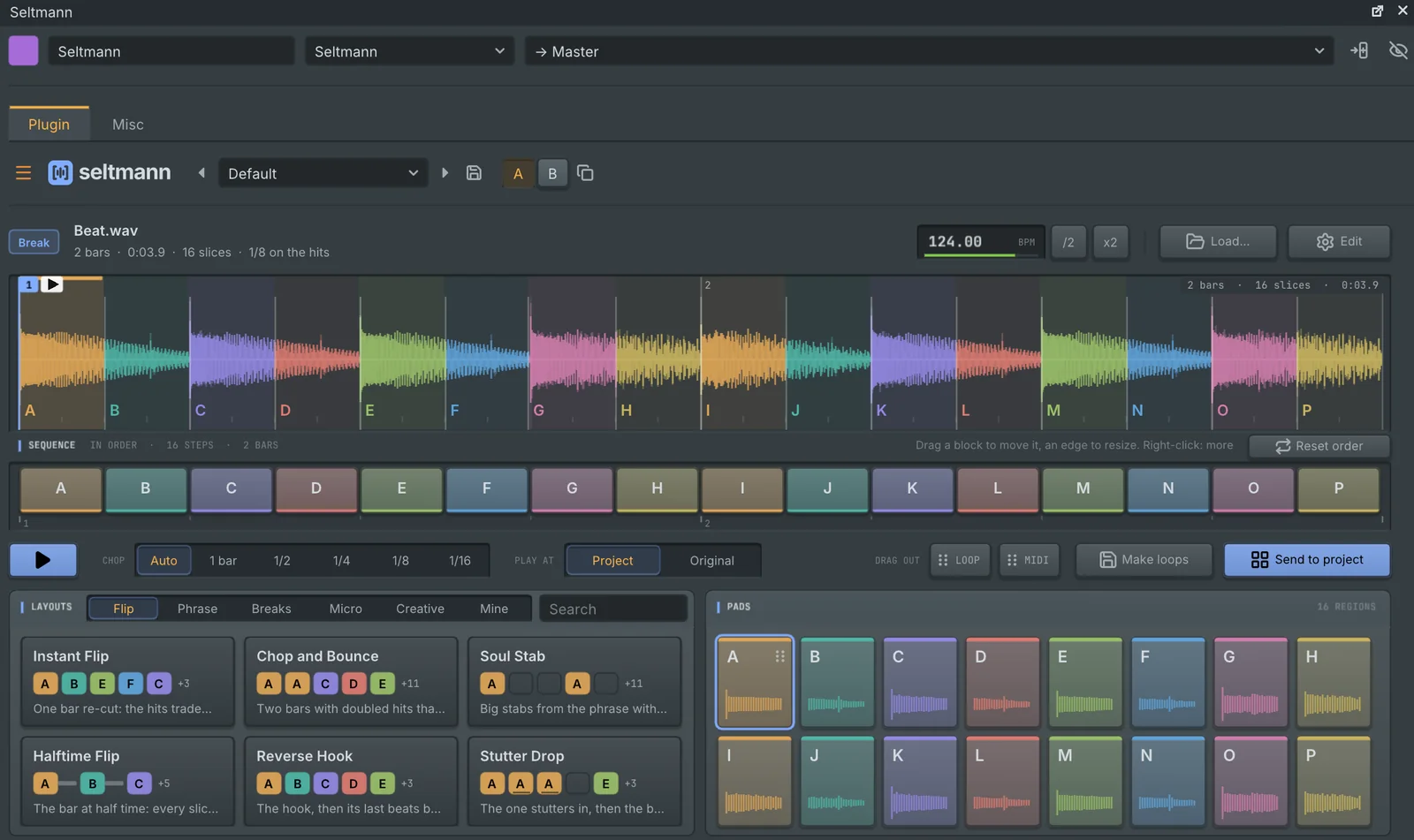
Seltmann with a chopped beat, its sequence lane, layouts and pads

Drop in audio, get a flip

An automatic sample chopper. Seltmann works out what a sound is, its tempo and where bar 1 starts, then chops it into lettered regions.

  • 59 layout cards play the chop the moment you pick one.
  • A sequence lane to reorder, split and join regions.
  • Per-step length and pitch, straight from the mouse wheel.
  • Drag out the result as a loop, MIDI or a pattern.
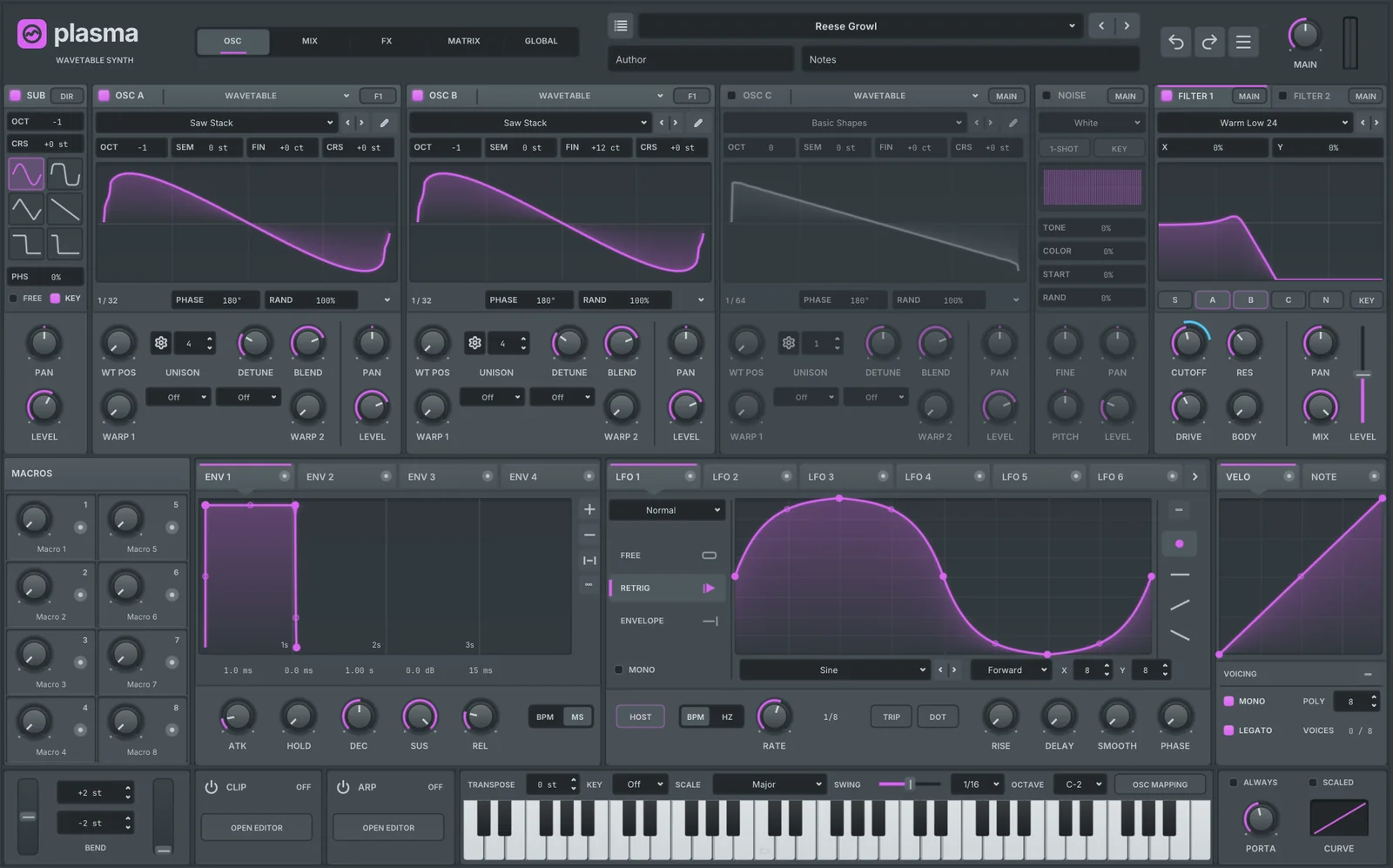
Plasma, the wavetable hybrid synth

The wavetable hybrid

Three oscillators that each play a wavetable, a multisample, a sample, a granular cloud or a spectral resynthesis.

  • 103 warp modes and unison up to 16 voices.
  • Two filters with 106 types between them.
  • A 64-slot matrix: drag a source's live meter onto any knob.
  • Opens your Serum presets and turns them into Plasma sounds.

A closer look

Screenshots straight from the app. Select one to see it full size.

Piano roll
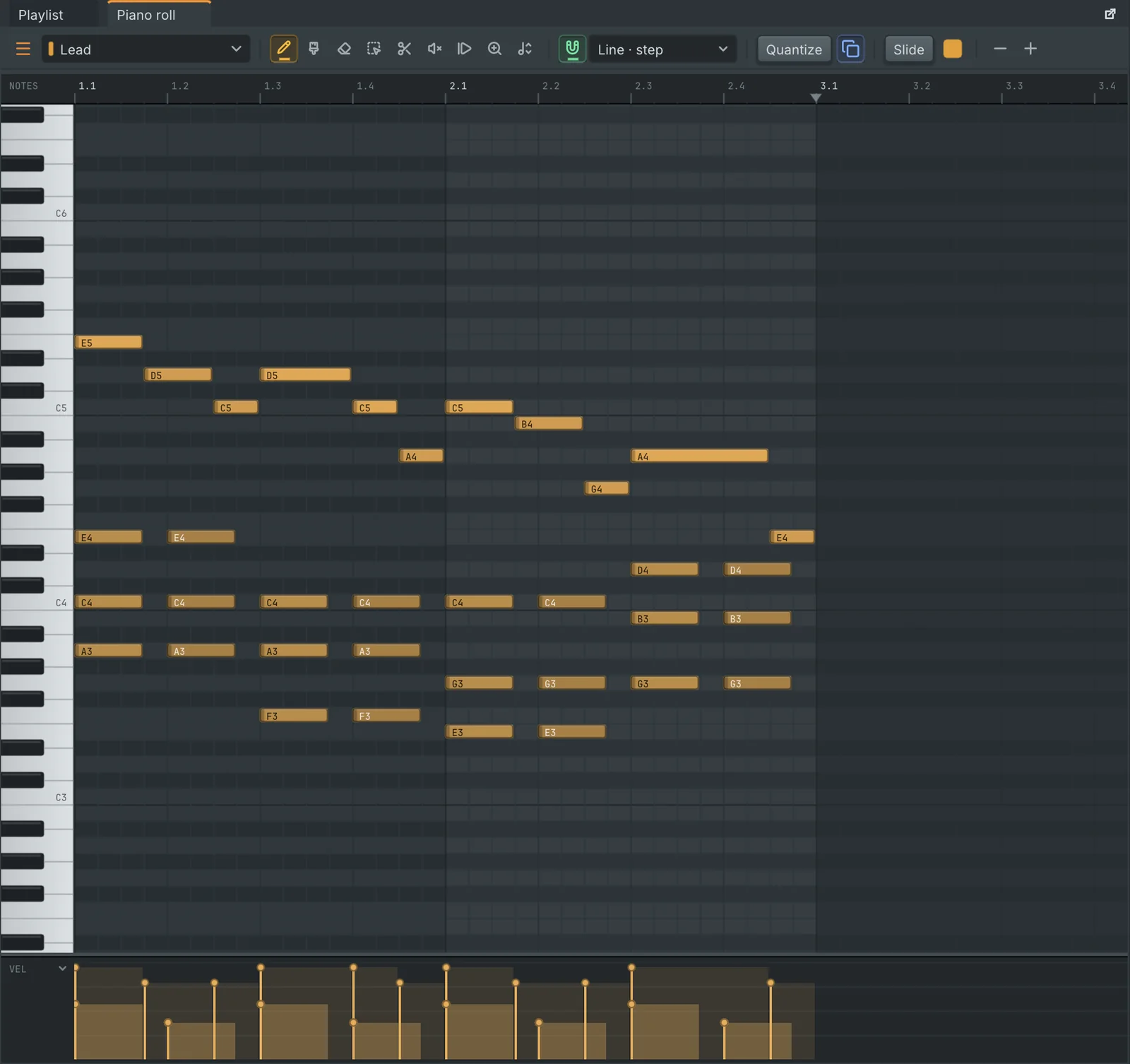
The piano roll with notes, slides and the note properties lane
Piano roll. Slides, pitch bend drawn on each note, ghost notes, scale highlighting, and tools to quantize, chop, strum, arpeggiate and randomize.
Chords
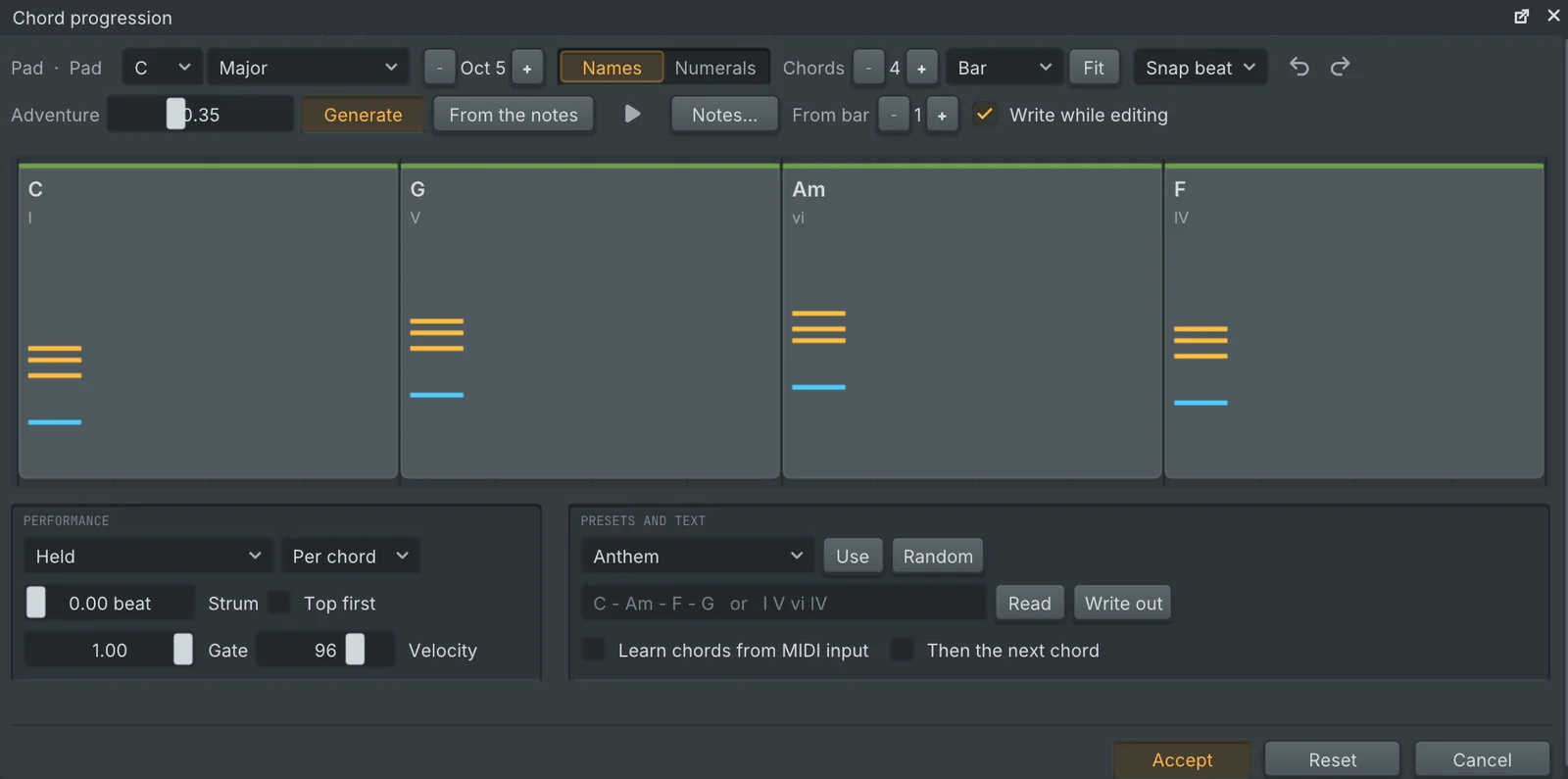
The chord progression editor
Chord progressions. Pick a key, generate or type a progression, shape the rhythm and voicing, and write it straight into the pattern.
Loupe
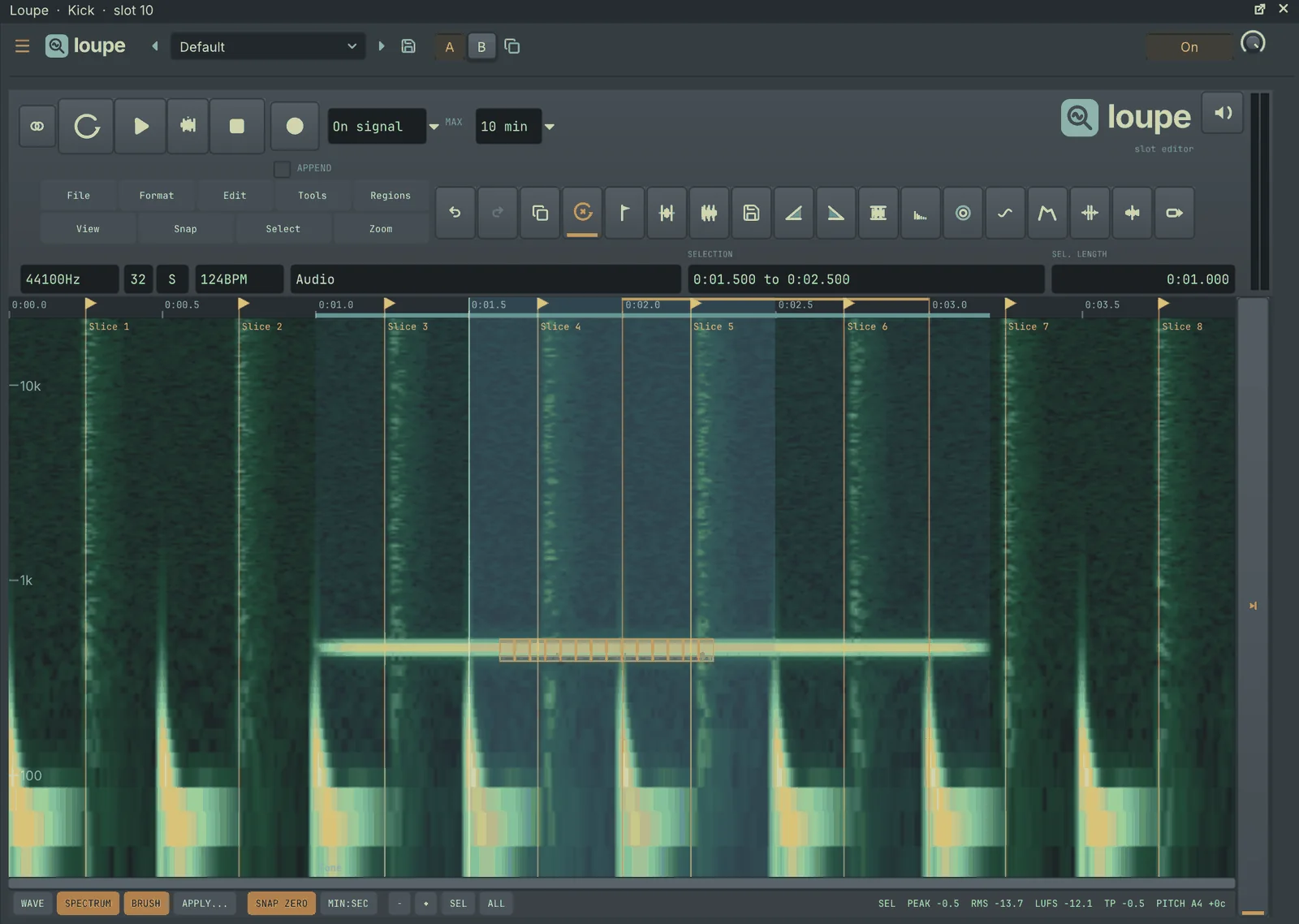
Loupe, the audio editor, showing a waveform and spectral view
Loupe, the audio editor. Waveform and spectral views, markers and regions, time stretch, noise reduction, beat slicing and loudness readouts.
Automation
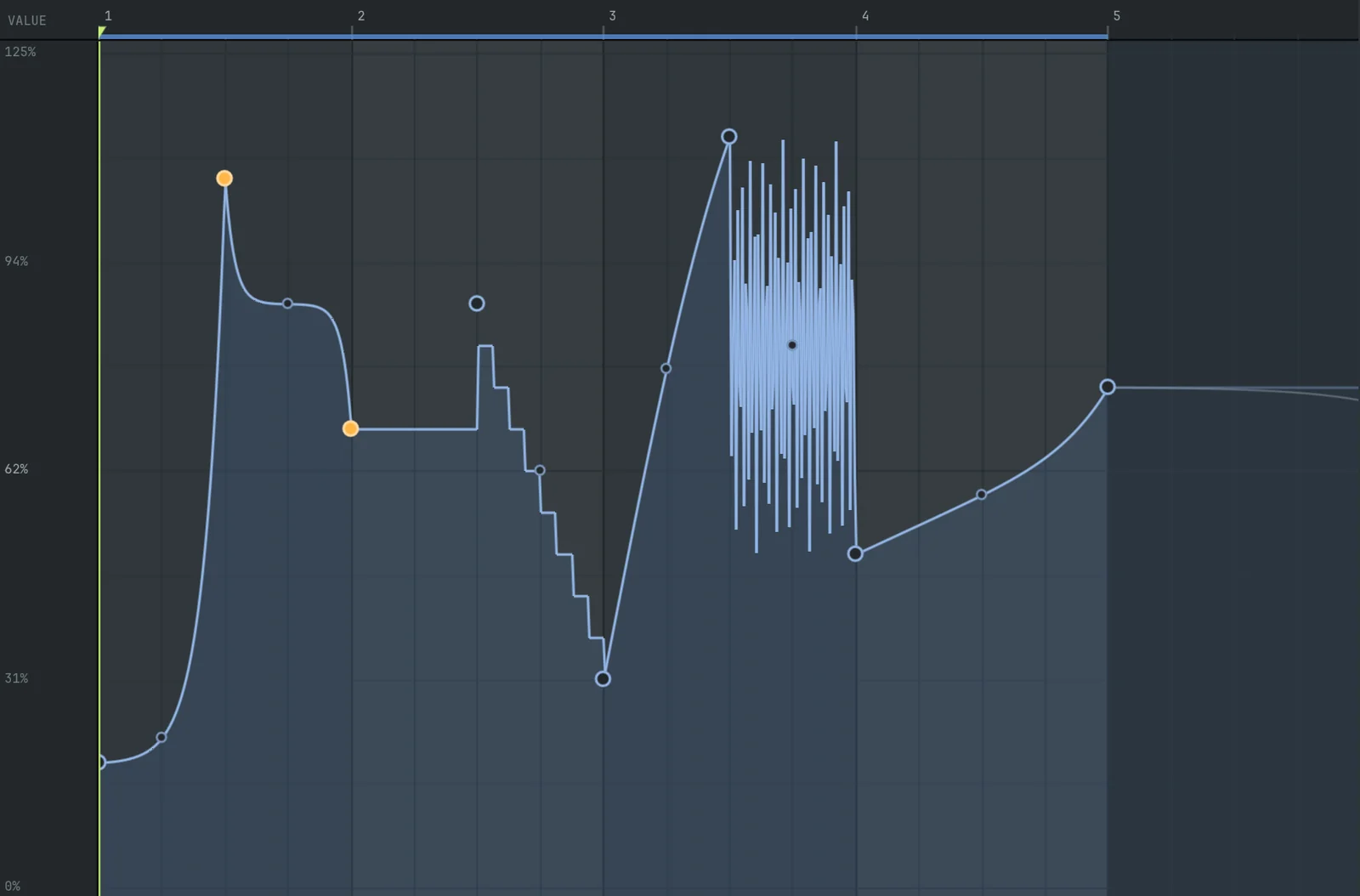
The automation clip editor with curved points
Automation. Thirteen curve shapes, tension handles, an LFO tool, a shape library and recording straight from knob moves.
Welcome
The welcome screen with recent projects
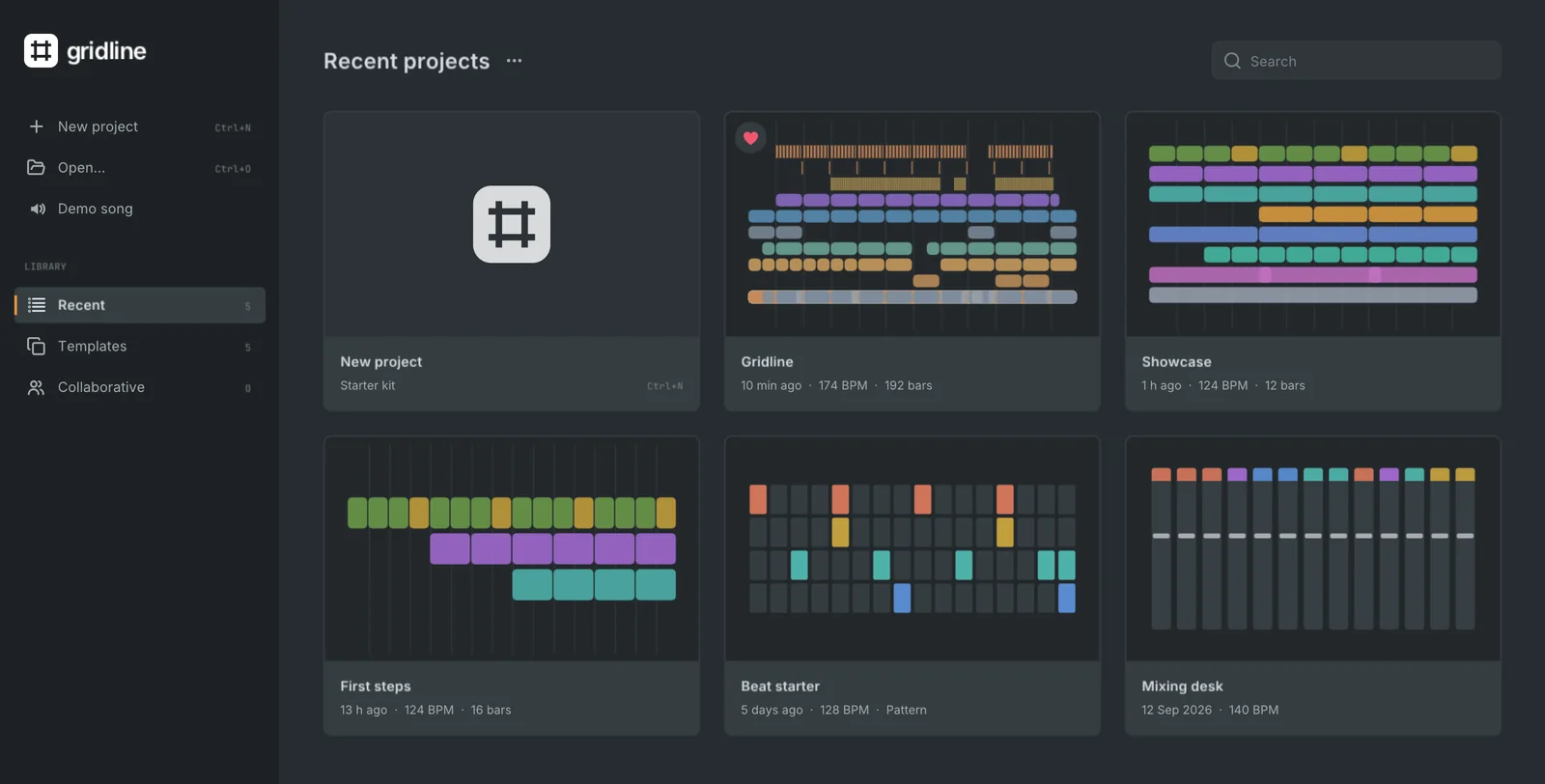
Welcome screen. Recent projects with a sketch of each arrangement, favourites, templates, search and the Collaborative view.
Plugin picker
The plugin picker with editor previews
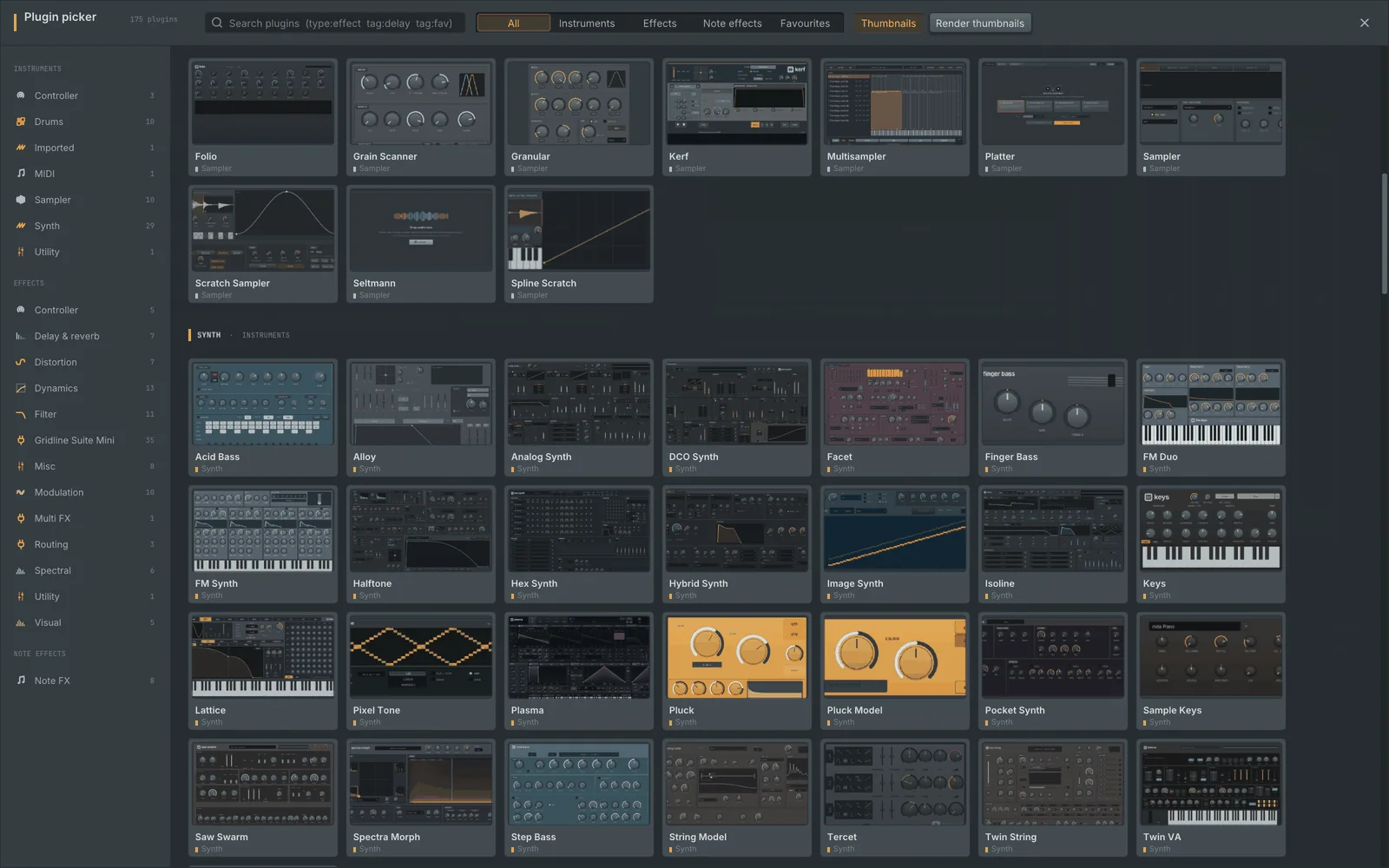
Plugin picker. Every instrument and effect with a preview of its editor, by category, with search and favourites.
Instruments and effects
A selection of Gridline's built-in plugin editors
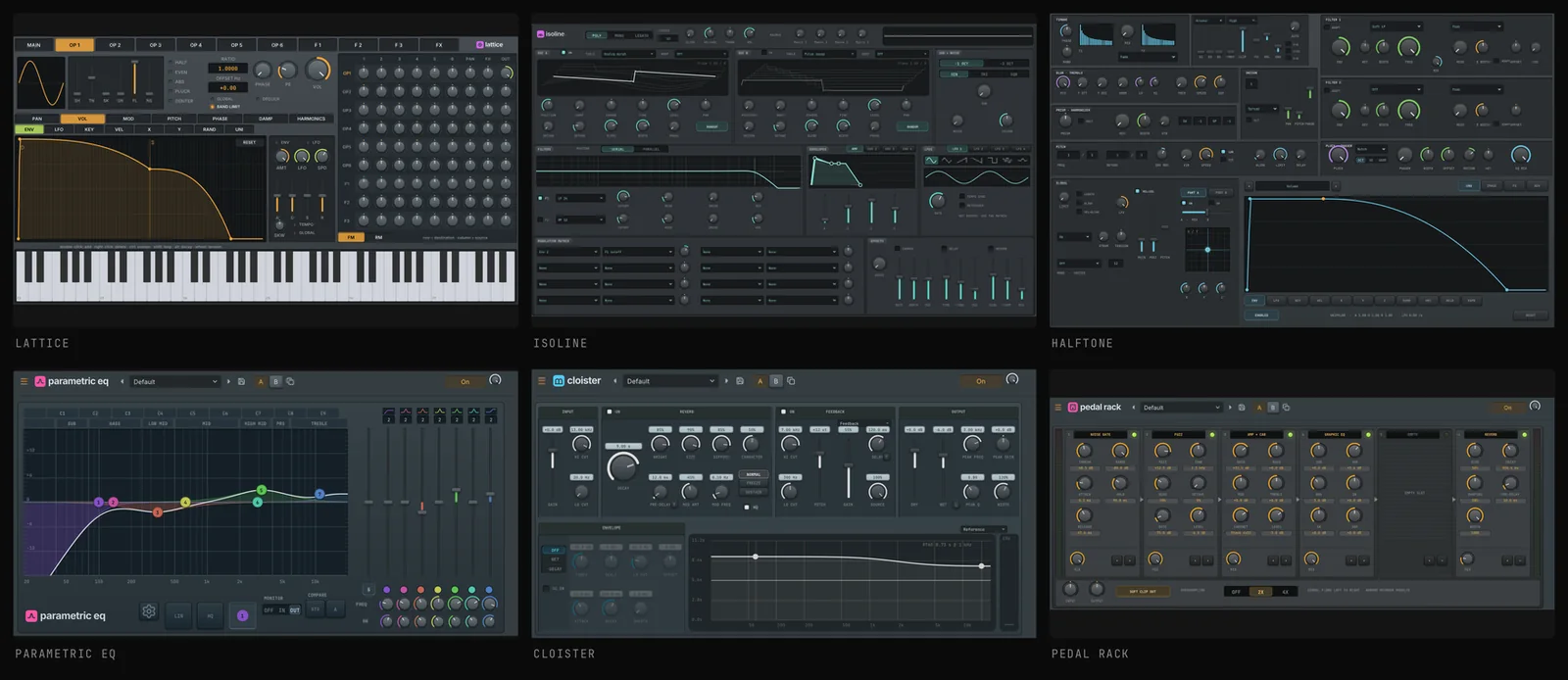
Built-in editors. Every instrument and effect has its own editor with its own wordmark, and each one can be popped out into a window of its own.

Build from source

You need CMake, a C++17 compiler and SDL2. Everything else is bundled in third_party/, and CI builds and tests every change on every supported system.

macOS, Linux, BSD
# macOS
brew install cmake sdl2

# Debian / Ubuntu
sudo apt install build-essential cmake \
  pkg-config libsdl2-dev libgl-dev \
  libasound2-dev libjack-jackd2-dev libx11-dev

# build, test, run
cmake -S . -B build -DCMAKE_BUILD_TYPE=Release
cmake --build build -j4
ctest --test-dir build
./build/gridline-app
WindowsVisual Studio 2022 prompt
# SDL2 is built from source
cmake -S . -B build -G Ninja ^
  -DCMAKE_BUILD_TYPE=Release ^
  -DGRIDLINE_BUNDLED_SDL2=ON

# build, test, run
cmake --build build
ctest --test-dir build
build\gridline-app.exe

Audio runs through SDL (Core Audio, WASAPI, ALSA, PulseAudio, PipeWire, JACK, sndio) and MIDI through RtMidi.

Command line
# render to audio (also .flac, .mp3, .ogg, .m4a, --stems)
gridline render song.json -o out.wav --bits 24

# MIDI out, project plus samples, plugin compatibility sweep
gridline export-midi song.json -o song.mid
gridline zip song.json -o song.zip
gridline plugin-check --all --json report.json

# sample usage as a spreadsheet and PDF; MCP server for AI assistants
gridline track-receipt song.json --out receipt/
gridline mcp song.json